\n
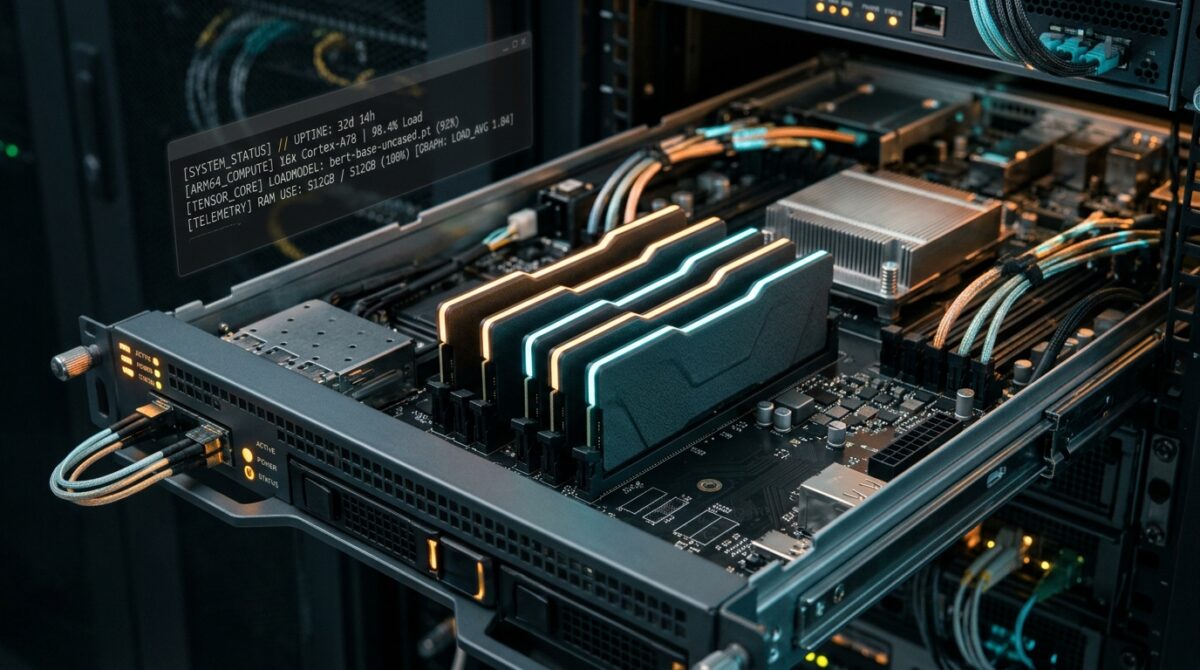
Executive Briefing: Running modern lightweight language models and automated backend services typically incurs monthly cloud bills of $50 to $90 on major hyperscalers. However, Oracle Cloud Infrastructure (OCI) maintains an often-overlooked permanent tier: up to 4 Ampere A1 ARM cores and 24 GB of unified RAM with 200 GB of block storage at zero recurring cost. This engineering guide details the exact architecture, step-by-step provisioning, ingress networking, and proven workarounds for common availability-domain bottlenecks.
\n
\n\n
The Economics of Developer Compute in 2026
\n
Cloud hosting pricing structures have grown increasingly aggressive for independent developers, students, and research teams. Renting an instance with 24 gigabytes of memory on Amazon Web Services (such as a t4g.xlarge) or a comparable general-purpose droplet on DigitalOcean costs between $60 and $84 every month. Over a year, that represents roughly $700 to $1,000 for workloads that often sit idle between development cycles.
\n\n
Most developers assume that free tiers from major cloud providers are limited to disposable 30-day trials with $200 credits that evaporate upon expiration, or tiny micro-instances with 1 vCPU and 1 GB of memory that crash under the slightest memory load. Oracle Cloud’s “Always Free” architecture diverges sharply from this pattern by granting 3,000 OCPU hours and 18,000 GB-hours per month—which translates directly into a persistent, unthrottled 4-core, 24 GB RAM ARM64 server running 24/7/365.
\n\n
| Cloud Provider | Instance Type | vCPU / RAM | Monthly Cost | Free Duration |
|---|---|---|---|---|
| Oracle Cloud (OCI) | VM.Standard.A1.Flex | 4 OCPU / 24 GB RAM | $0.00 / mo | Always Free (Permanent) |
| Amazon Web Services | t4g.xlarge | 4 vCPU / 16 GB RAM | $73.20 / mo | None (Free tier is t4g.small for 750h) |
| DigitalOcean | Basic Droplet | 4 vCPU / 24 GB RAM | $96.00 / mo | None (60-day $200 trial only) |
| Google Cloud (GCP) | e2-standard-4 | 4 vCPU / 16 GB RAM | $97.52 / mo | None (Free tier is e2-micro with 1GB) |
\n\n
What Can You Run on a 24GB ARM Instance?
\n
The core advantage of 24 GB of RAM is memory headroom. Modern quantized neural networks and developer runtimes are constrained primarily by RAM capacity rather than compute cycles. With this configuration, developers can host:
\n
- \n
- Quantized Local AI (via Ollama or llama.cpp): 24 GB of system memory allows running 4-bit (Q4_K_M) or 8-bit quantized models such as
Llama 3.2 (3B),Mistral 7B,Phi-3.5 Mini, andDeepSeek-R1-Distill-Qwen-8Bcompletely in CPU memory with reasonable token generation speeds for background agents. - Autonomous AI Agents & Workflows: Hosting automated agent runtimes (such as n8n, LangChain bots, or Celery workers) that require reliable uptime without memory leaks.
- Self-Hosted Infrastructure: Running comprehensive Docker stacks, including PostgreSQL, Redis caching, Gitea private Git instances, Nextcloud file sync, and lightweight analytics dashboards.
- 10 TB Monthly Bandwidth: Enough free outbound transfer to handle small-to-medium web applications and private API gateways without fear of surprise egress billing.
\n
\n
\n
\n
\n\n
Step-by-Step Provisioning Architecture
\n\n
1. Selecting the Ampere A1 Compute Shape
\n
Upon registering an account on the Oracle Cloud Free Tier, navigate to Compute > Instances > Create Instance. The critical configuration points are:
\n
- \n
- Image: Select
Canonical Ubuntu 24.04 LTS (AArch64). Do not select x86_64; Ampere processors require ARM64 kernel builds. - Shape: Choose Ampere (VM.Standard.A1.Flex). By default, the slider may show 1 OCPU. Move the slider to 4 OCPUs and set Memory to 24 GB. Oracle explicitly flags this combination with the green “Always Free Eligible” badge.
- Boot Volume: Expand the default 47 GB boot volume up to 200 GB (the maximum allocation included in OCI’s Always Free tier).
- SSH Keys: Generate and download your private key file (or upload your existing
id_ed25519.pubkey). Never proceed without saving your SSH credentials.
\n
\n
\n
\n
\n\n
2. Configuring Network Ingress and Firewall Rules
\n
A frequent stumbling block for engineers new to Oracle Cloud is the dual firewall architecture. Oracle enforces network rules both at the Virtual Cloud Network (VCN) level and locally inside the operating system.
\n\n
First, in the OCI Console, navigate to Virtual Cloud Networks > Default Security List > Ingress Rules. Add an Ingress Rule:
\n
Source CIDR: 0.0.0.0/0\nIP Protocol: TCP\nDestination Port Range: 80, 443, 11434 (if exposing Ollama API privately)\n\n\n
Second, Ubuntu images on OCI include pre-installed iptables drop rules that silently discard incoming traffic even when VCN ingress is permitted. Connect via SSH and apply the following host-level adjustments:
\n
# Connect to your new instance\nssh -i /path/to/your-key.key ubuntu@YOUR_INSTANCE_PUBLIC_IP\n\n# Allow standard web traffic and persistent rules\nsudo iptables -I INPUT 6 -m state --state NEW -p tcp --dport 80 -j ACCEPT\nsudo iptables -I INPUT 6 -m state --state NEW -p tcp --dport 443 -j ACCEPT\nsudo netfilter-persistent save\n\n\n
3. Installing Docker and Ollama for AI Workloads
\n
Because the Ampere A1 architecture is native ARM64, modern AI runtimes install cleanly without binary emulation. Run the following deployment script to configure Ollama and pull an initial reasoning model:
\n
# Update package registry and install system utilities\nsudo apt update && sudo apt upgrade -y\nsudo apt install -y curl htop git build-essential\n\n# Install native ARM64 Ollama runtime\ncurl -fsSL https://ollama.com/install.sh | sh\n\n# Verify Ollama daemon status\nsystemctl status ollama\n\n# Pull a 7B parameter reasoning model (fits comfortably in 24GB RAM)\nollama run llama3.2:3b\n\n\n
Overcoming the Two Major Pitfalls
\n\n
Pitfall 1: “Out of Host Capacity” During Creation
\n
Due to surging demand for free 24GB ARM compute, users frequently encounter the error: Out of host capacity for shape VM.Standard.A1.Flex in availability domain AD-1. This does not mean the free tier is terminated; it means that the specific physical server rack in that data center cluster is temporarily saturated.
\n\n
The Solution:
\n
- \n
- Change the Availability Domain (AD): Regions like US-East (Ashburn), Frankfurt, or London often have AD-1, AD-2, and AD-3. Try selecting AD-2 or AD-3 under the Placement settings.
- Split the Allocation: Instead of launching one 4-core, 24GB instance immediately, provision two separate instances (e.g., two VMs with 2 OCPUs and 12 GB RAM each). Smaller shapes clear provisioning queues much faster.
- Automated CLI Provisioning: Serious developers utilize a lightweight OCI CLI bash loop in Oracle Cloud Shell that checks capacity every 60 seconds until the API returns a successful provisioning code.
\n
\n
\n
\n\n
Pitfall 2: Instance Reclamation (Idle VM Policy)
\n
Oracle enforces an automated resource reclamation policy to prevent orphaned accounts from hoarding compute blocks. Under this policy, any Always Free compute instance that maintains less than 20% CPU utilization and less than 20% memory usage over a 7-day rolling window is marked as idle and scheduled for reclamation.
\n\n
To ensure your production dev services remain active without violating terms of service:
\n
- \n
- Host Productive Workloads: Running background telemetry collectors, periodic database sync scripts, or a Dockerized automation suite (such as n8n or an Ollama worker polling a queue) naturally maintains healthy utilization signals.
- Avoid Artificial Stress Scripts: Do not run deceptive CPU burn scripts like
stress-ngat 100% load 24/7; Oracle’s abuse-detection algorithms flag persistent synthetic loads. Instead, schedule realistic cron jobs that perform database backups or embedding evaluations once every few hours.
\n
\n
\n\n
Strategic Takeaways for Builders
\n
While the initial signup verification requires patience and a valid credit card (which is not charged), the OCI Always Free ARM tier remains one of the most generous developer compute programs on the internet. For engineers seeking a persistent sandbox to host agentic runtimes, experiment with local LLMs, and maintain private utilities without recurring cloud bills, a properly secured 4-core, 24GB instance represents unmatched utility in 2026.
\n